Details
Website: https://telegram.org
DA: 95
PA: 43
Do-Follow: YES
Example of the URL where the backlink can be found.
Instructions
Go to https://telegram.org
Install the app on your desktop and login.
Click on the “Menu” icon.
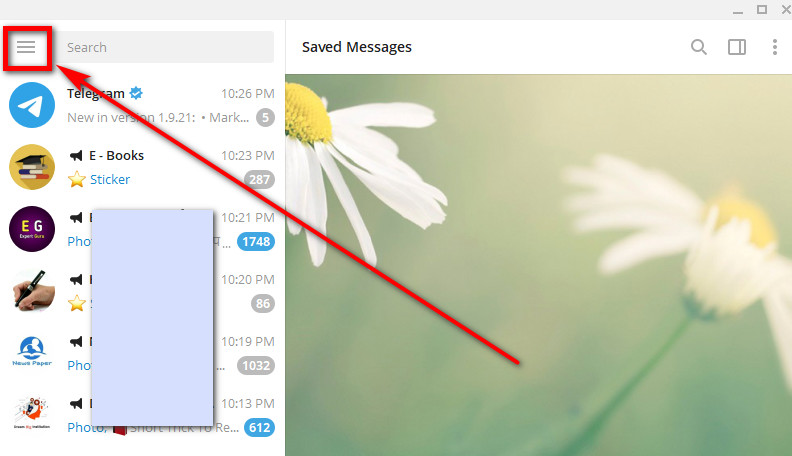
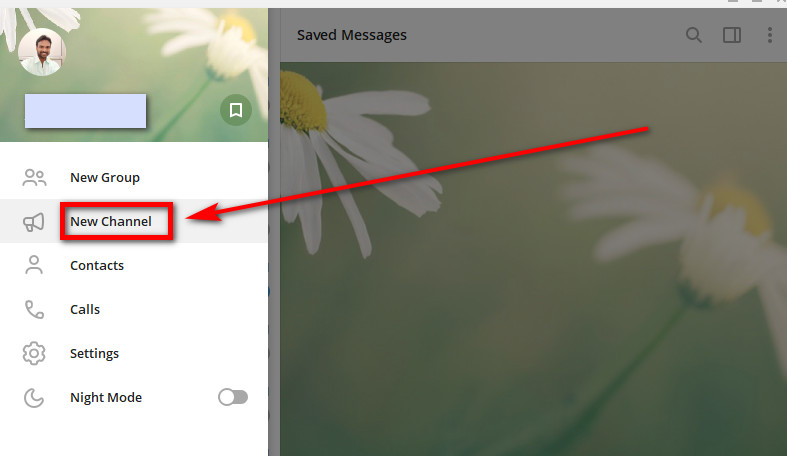
Click “New Channel”.
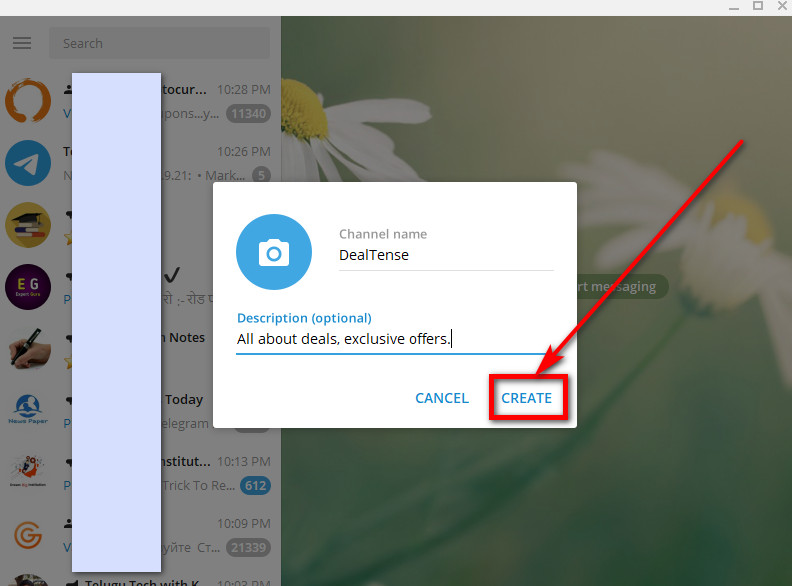
Give a name and add a description, click “Create”.
Tip: You can add your URL in the description too.
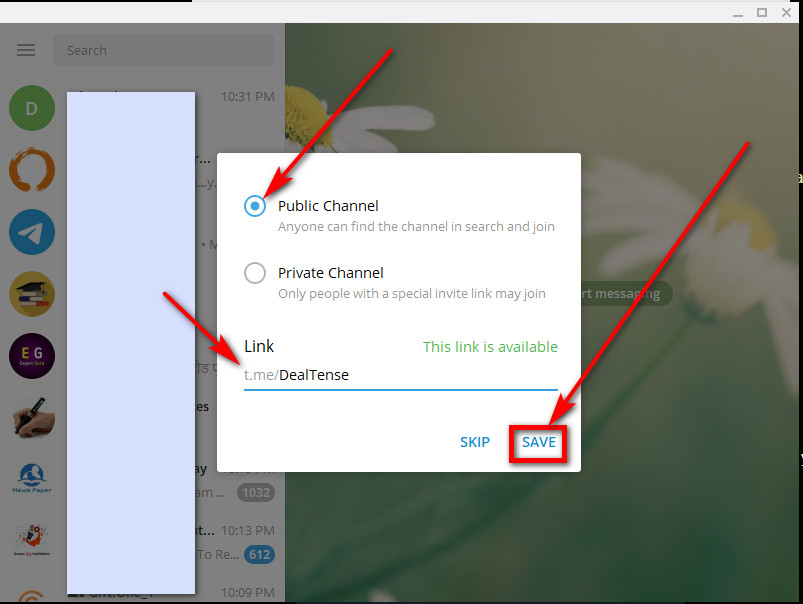
Make it “Public”, set a URL name for the channel. Click “Save”.
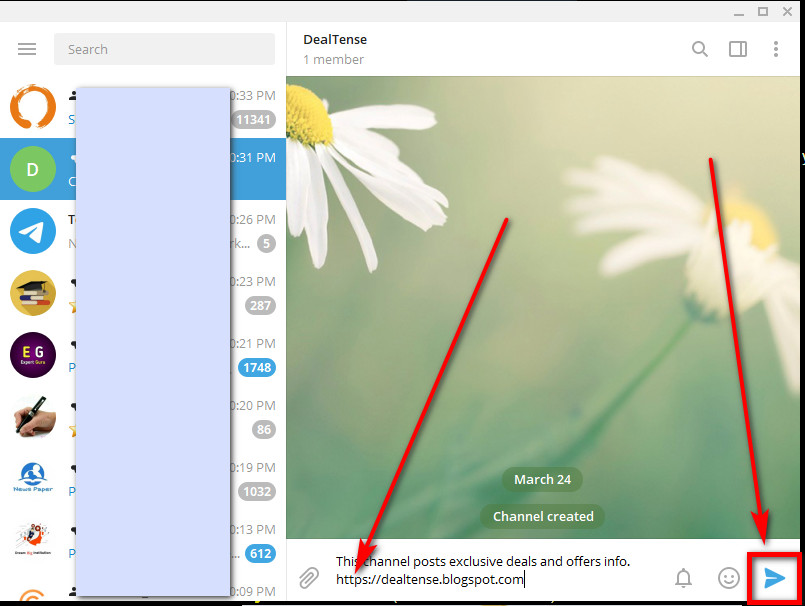
Write text with links in the Broadcast section and hit the submit button.
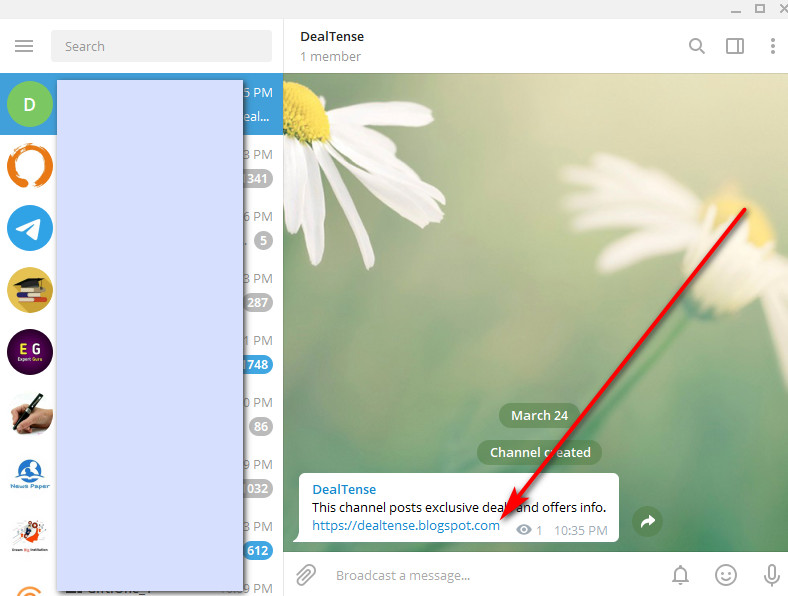
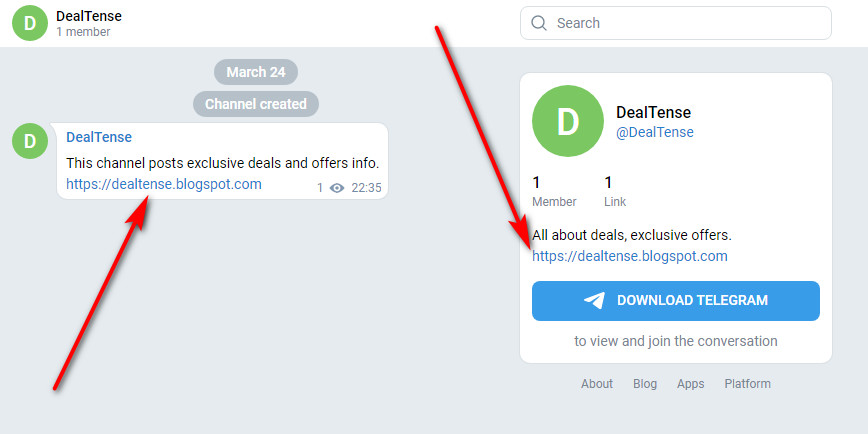
Here’s where the Backlink appears:
Note: When you open the channel URL in the browser, it asks if you want to open the Telegram app. You can cancel and click the “Preview channel”.

Telegram
![Telegram]() Reviewed by Vũ Thế Khoa
on
May 21, 2021
Rating:
Reviewed by Vũ Thế Khoa
on
May 21, 2021
Rating:
No comments: